QR ordering
Guests scan at the table and order right away, without waiting for staff.
- Options and notes for the kitchen
- Track each round of dishes
- Ask for the bill, use coupons, split it
Faster orders
Guests order from their phone the moment they sit down, so staff have more time for the tables.
No missed tickets
Orders reach the kitchen screen at once, split by station, with a warning when one waits too long.
Guests come back
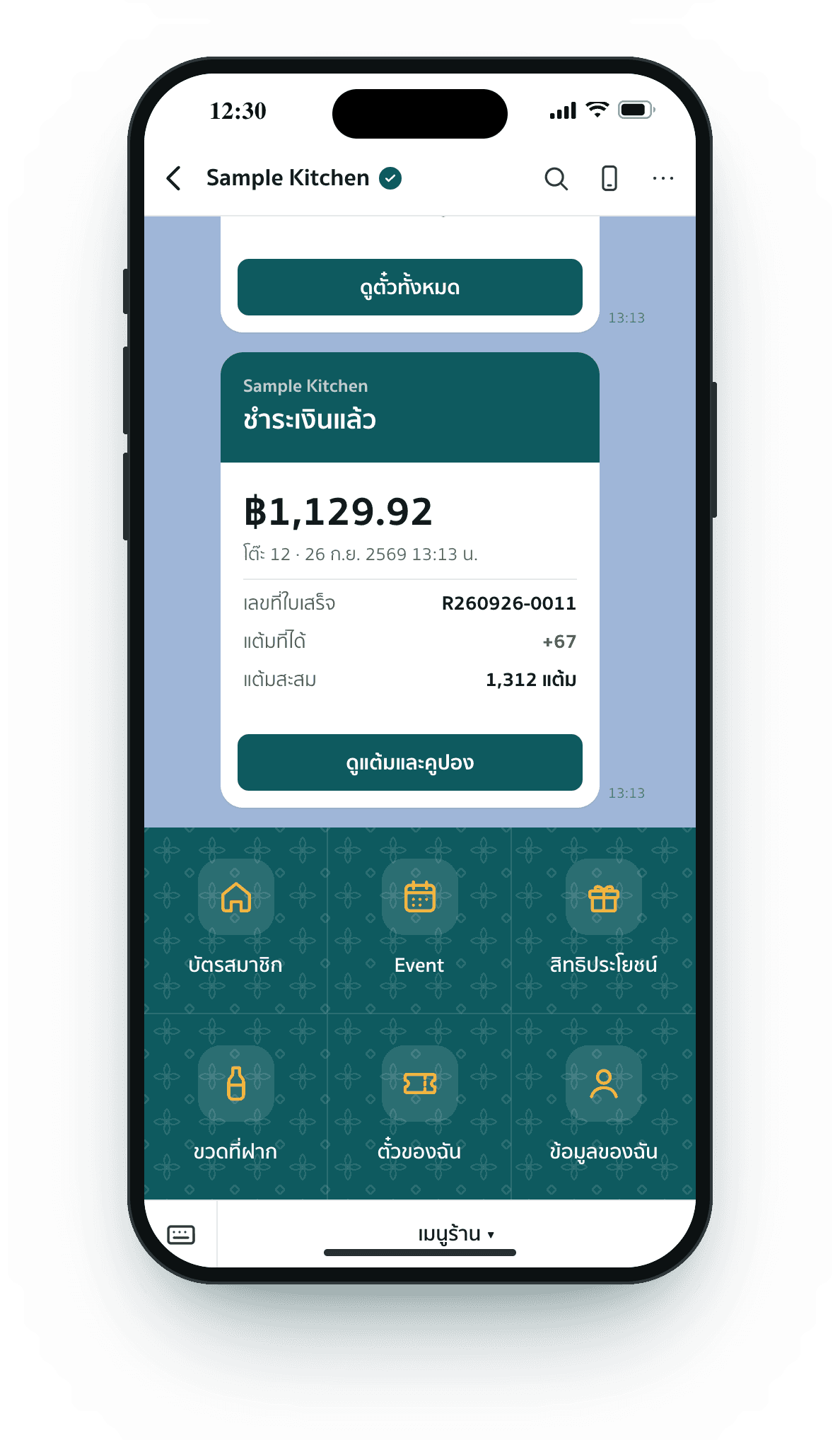
Points, member tiers, birthday coupons and LINE campaigns bring them back.
Know every guest
Who comes often, what they order and which bottles they keep, on one page.
Every button here works. Order food, open the member card, book a seat, then see the messages guests get on LINE.
Be the guest at table 12: order on the phone and watch it land on the kitchen screen.
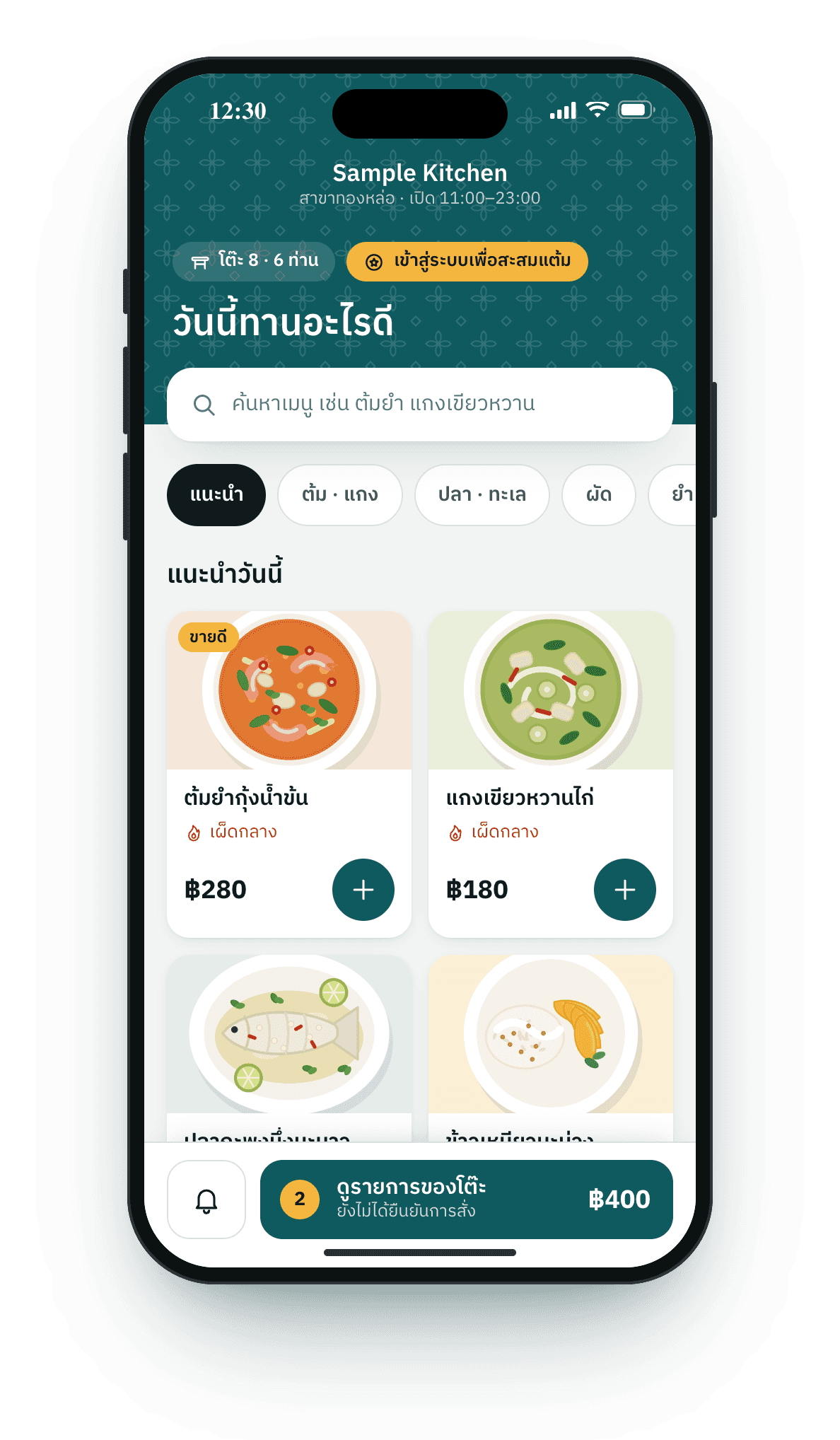
Sample Kitchen
Thonglor · open 11:00–23:00
What would you like today?
 Best seller
Creamy tom yum goong
Medium spicy
 Chef’s pick
Steamed sea bass with lime
Medium spicy

Green curry with chicken
Medium spicy
Spicy glass noodle salad
Very spicy

Stir-fried morning glory

Steamed rice
Thai iced tea
Regular sweet
 Best seller
Mango sticky rice
Kitchen
Waiting for orders
Order something on the phone and it pops up here straight away.
A wall screen in the kitchen, split into hot, cold, bar and desserts
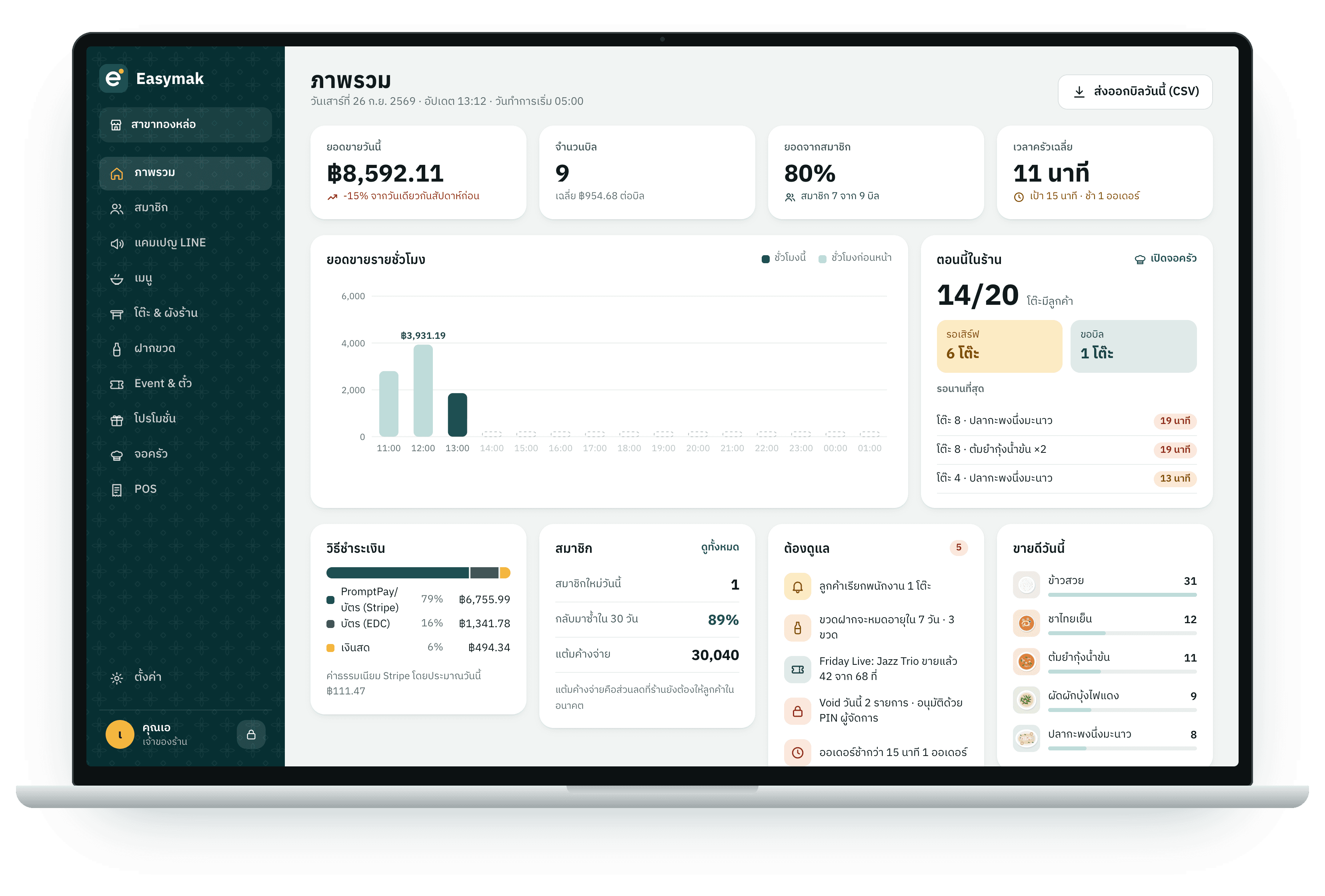
Sales, kitchen orders, tickets and LINE messages show up in the back office the moment they happen. Order or book again and watch the numbers move.
Overview
Saturday 26 Sep 2026 · ThonglorSales today
฿8,592.11
9 bills
Kitchen orders
14
rounds today
Friday Live tickets
42/68
seats sold
LINE messages
10
sent to members today
Sales by hour
Latest
From the moment a guest sits down to paying and coming back, every step is connected and nothing is typed twice.
Guests scan at the table and order right away, without waiting for staff.
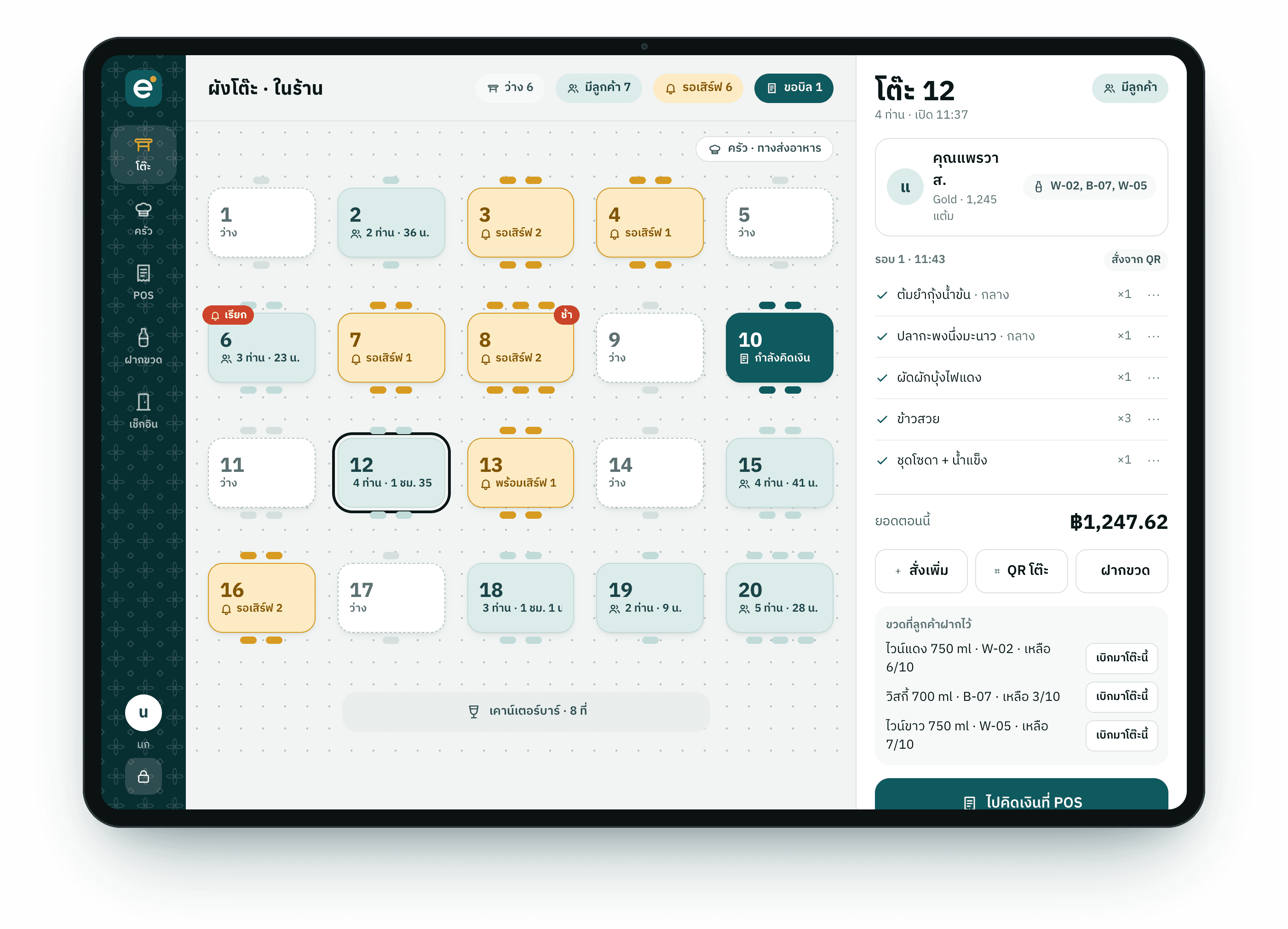
A live floor plan shows which table is waiting for food or calling for staff.
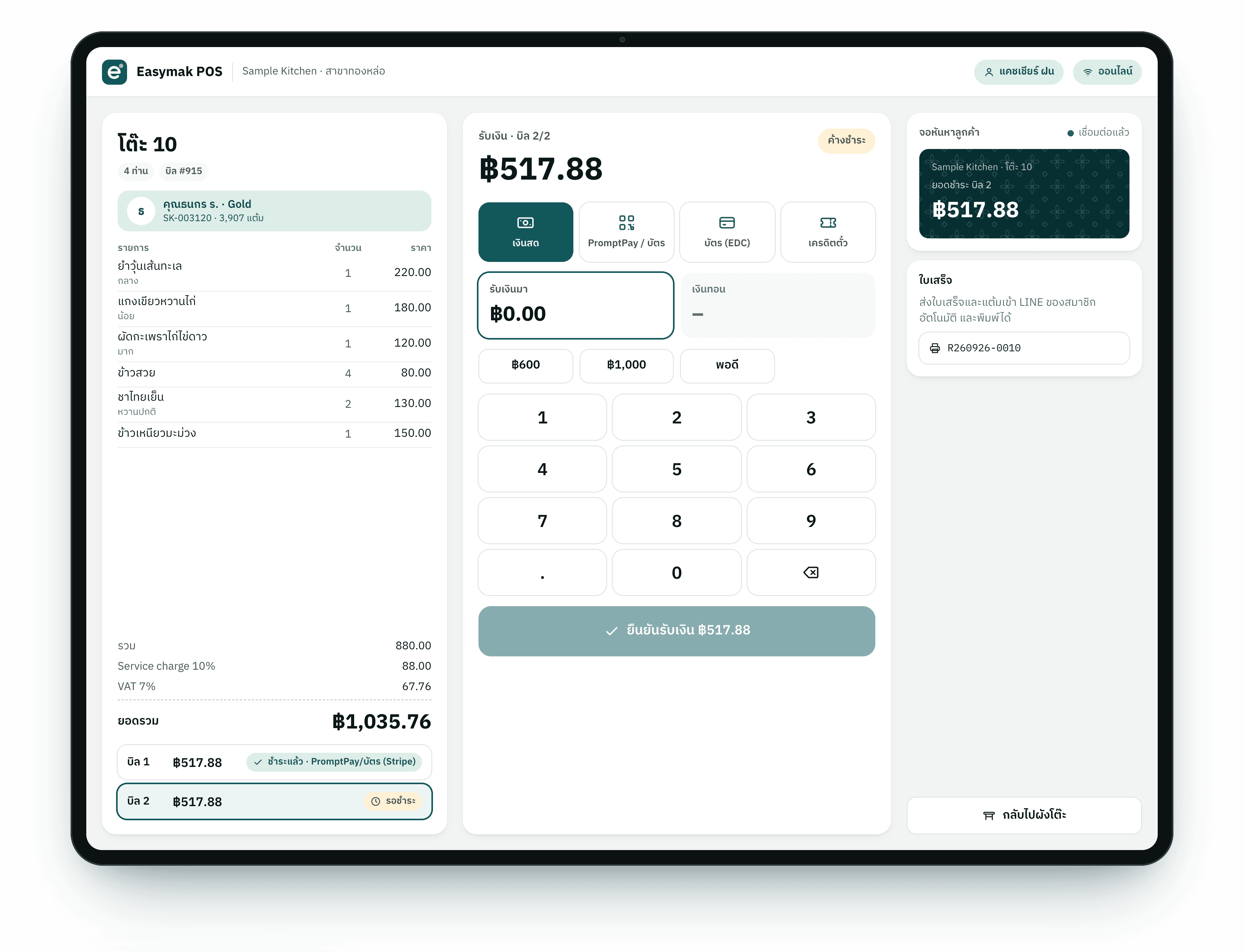
Charge by table, split bills and take every kind of payment.
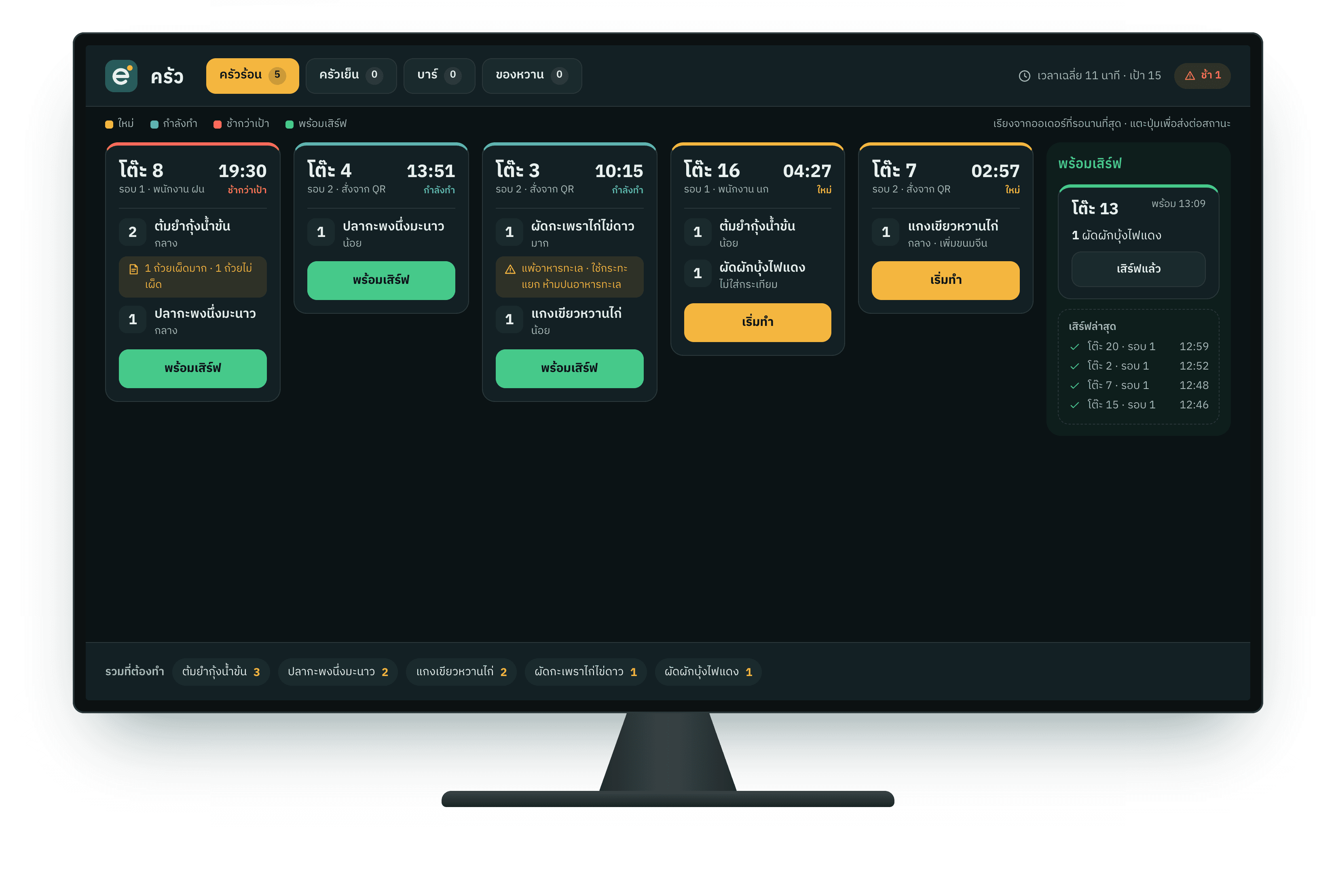
Orders pop up in the kitchen at once, split by station, every ticket timed.
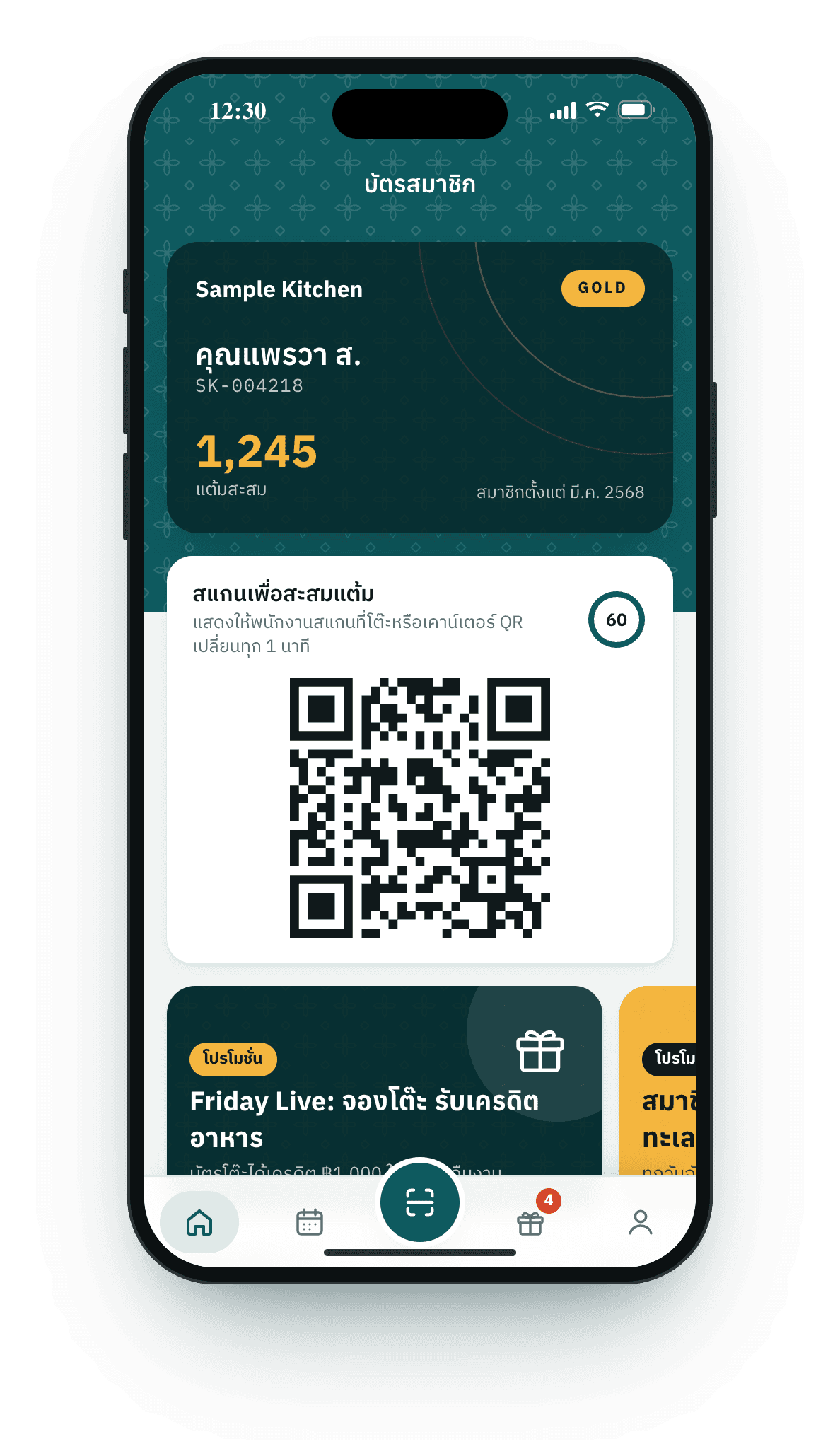
Guests join and sign in with LINE; the card lives in your shop chat.
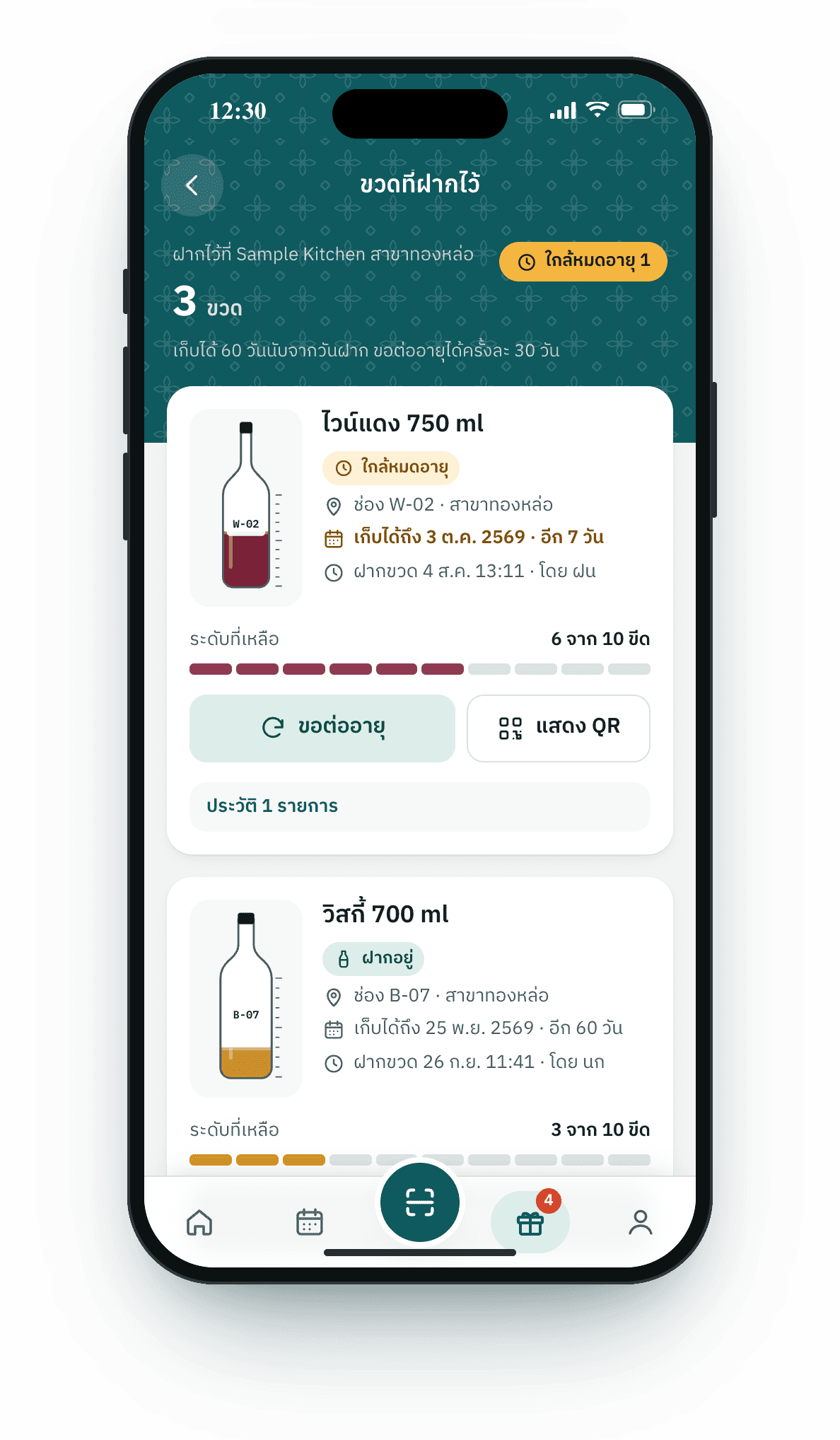
Record each bottle, what is left, its shelf and expiry date, with no paper.
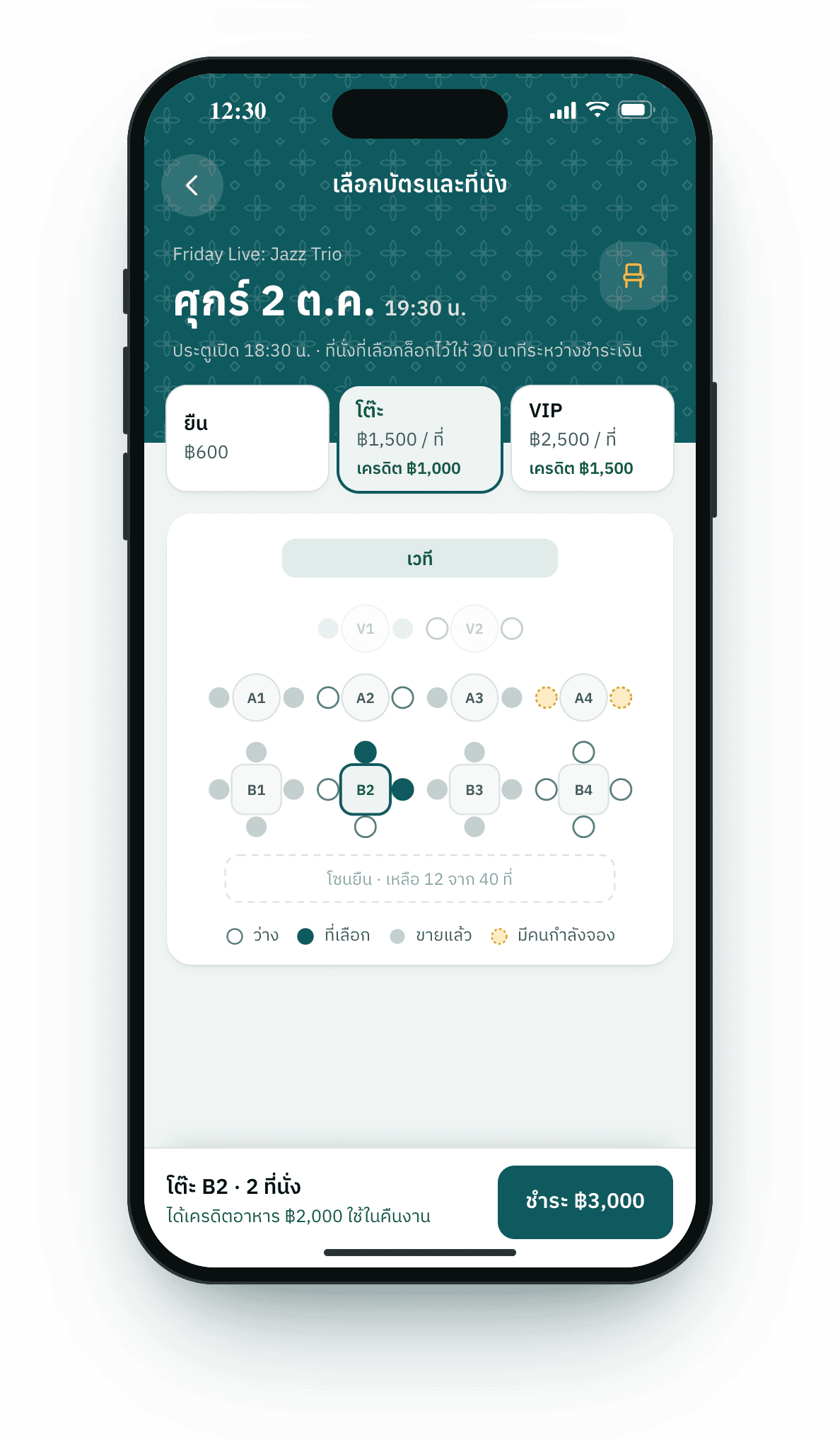
Sell tickets with a table plan; guests pick their own seats.
Every member update goes to LINE automatically, as cards in your colors.
Sales, members, campaigns and shop settings in one place.
Guests in Thailand open LINE every day, so the member card, notifications and campaigns sit in your shop’s chat. Nothing else to download.
A member card in the chat
Your rich menu opens the member card, points, kept bottles and tickets directly. Guests sign in with LINE, no password to remember.
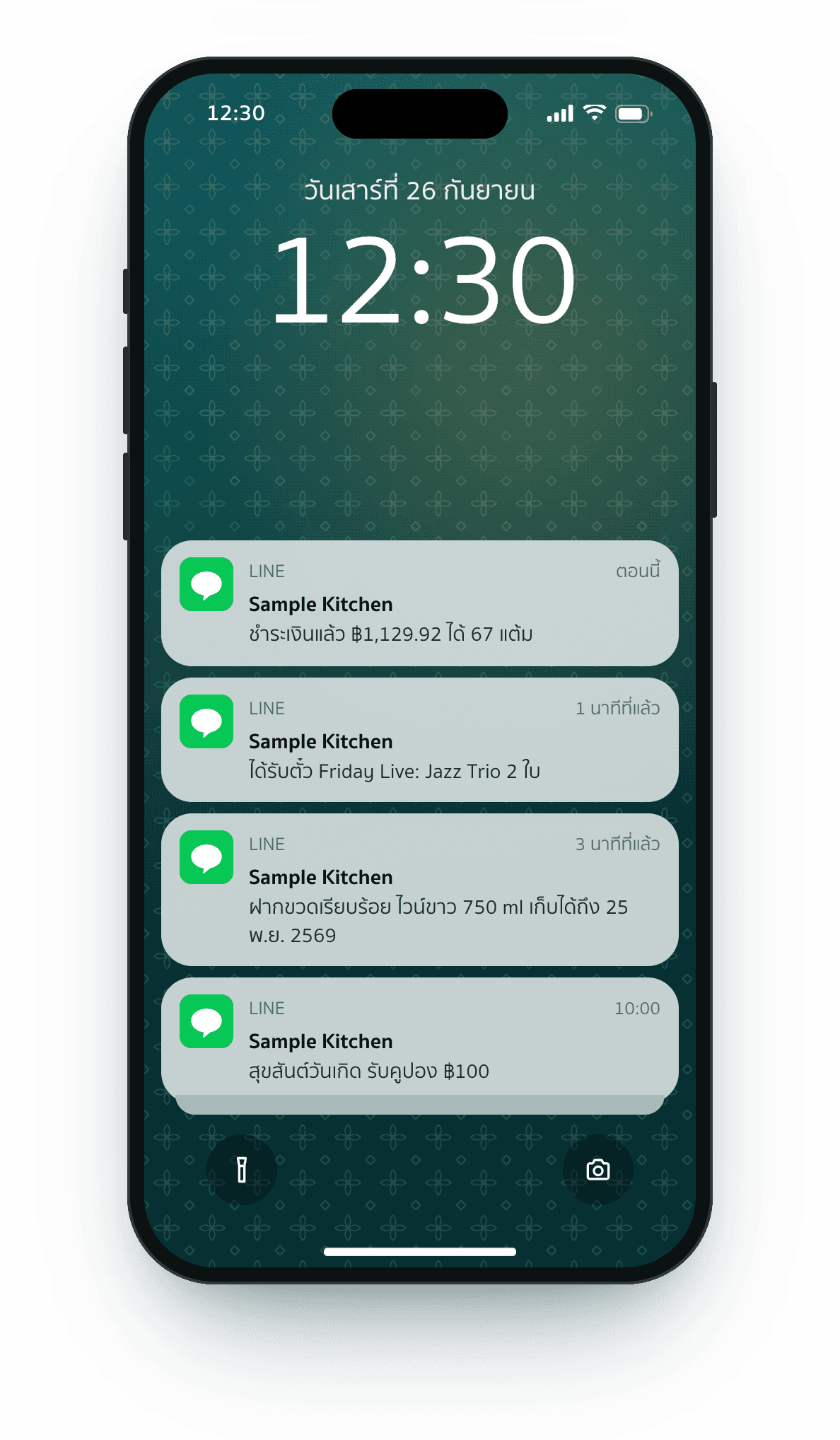
Automatic notifications
Receipts, points, bottles, tickets and coupons reach guests at once; bottle and event reminders go out at the time you set.
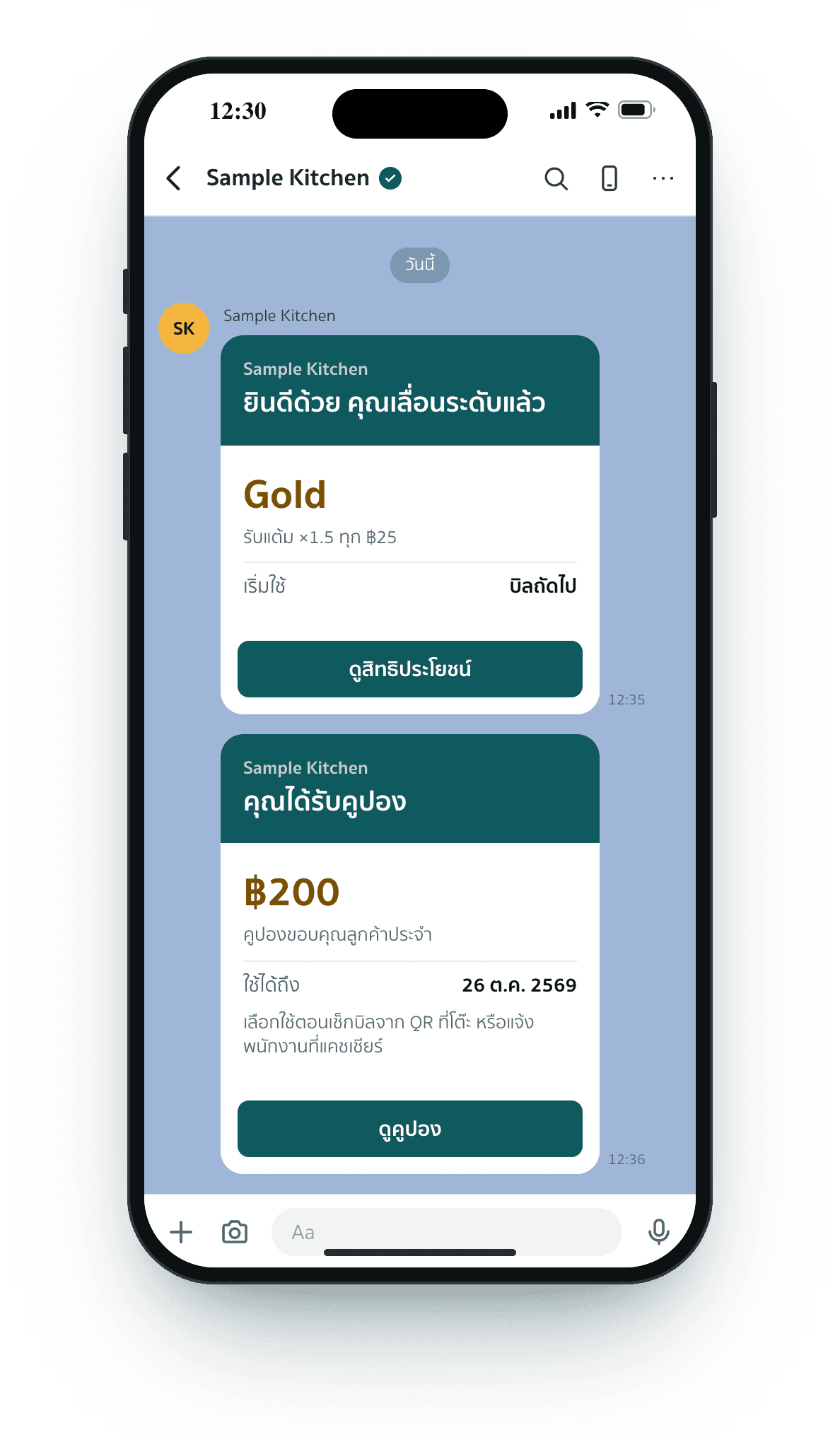
Guests come back
Tier upgrades, birthday coupons and campaigns by tier, sent only to members who opted in.
Every number comes from real sales in your shop, so there is nothing to add up at closing.
Every part of the system, from the guest’s phone to the back office. Tap a screen to enlarge it.
We work with you step by step, and you see the designs and try the system before guests do.
Your requirements
Step 2 of 6We talk through what your shop needs, which functions it uses and what should fit your way of working. Fill in the step-by-step form yourself, or have us call you.
What you get
Draft v2Can the buttons use our logo color?Done in draft v2Screens for guests, staff and the back office are designed in your brand, then sent to you to check and revise before anything is built.
What you get
DEMOWith your real menuThe system is set up with your real menu, tables and data, so you and your staff can order, charge and use member cards on a test LINE OA before guests ever see it.
What you get
Your LINE OALiveThe system is connected to your main LINE OA, the rich menu is set so guests reach their member card in one tap, existing members are moved over if you have them, and you go live.
What you get
We start from how your shop works, not from a fixed package. Functions, steps, reports, colors and brand CI are shaped to your shop from the first design. Tell us what you need step by step on the quote page.
No. Guests scan the QR on the table and order in their phone browser. The member card opens from your shop’s LINE chat.
Yes. It connects to your OA’s Messaging API and LINE Login, and the rich menu takes members straight to their card, points, bottles and tickets.
Cash, cards on your EDC terminal, PromptPay and cards through Stripe, plus food credit from event tickets. Each one can be switched on or off in settings.
Messages count toward your LINE OA’s monthly quota under your plan. The back office shows how much you have used, and you choose which kinds are sent.
Yes. Members switch notifications on or off in their card, with a separate switch for news and promotions. Consent is recorded with its date, and campaigns only go to those who agreed.
Everything runs in a web browser: phones or tablets for staff, a screen or tablet for the kitchen, and a computer or tablet at the cashier. Receipts print from the browser.
Tell us what your shop needs step by step, then get a quote or ask us to call you first.